
RezePlayer
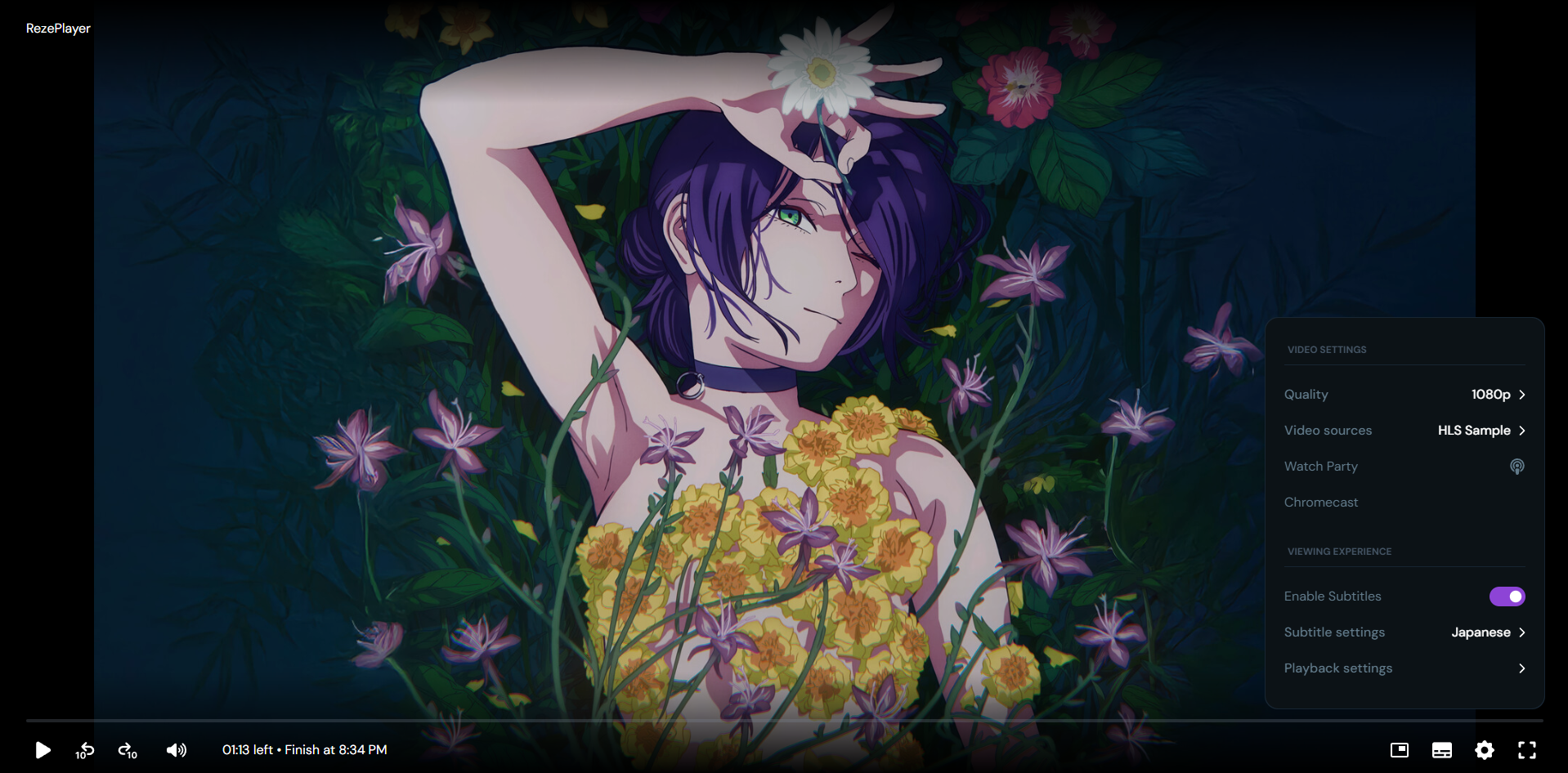
A good looking HLS/MP4 video player built with React
Preview
Quick Start
Get up and running in three simple steps.
1. Full Page Mode IMPORTANT
For a clean, full-page player experience, add the data-full and ltr attribute to your root html tag, or else player styling will be broken cuz of tailwind limitation of preflight lmao
<html lang="en" dir="ltr" data-full>2. Include CSS and JS
<link rel="stylesheet" href=""https://cdn.jsdelivr.net/npm/rezeplayer@latest/dist/assets/style.css">
<script src="https://cdn.jsdelivr.net/npm/rezeplayer@latest/dist/rezeplayer.iife.js"></script>3. Add Container
The player will be initialized inside this element.
<div id="player"></div>4. Initialize Player
Call the RezePlayer.make() method with your target element and options.
RezePlayer.make('#player', {
title: 'Testing',
servers: [
{
name: 'Server 1',
url: 'https://rezeplayer.vercel.app/reze/hls/master.m3u8',
type: 'hls'
},
{
name: 'Server 2',
url: 'https://rezeplayer.vercel.app/reze/mp4/trailer.mp4',
type: 'mp4'
}
],
subtitles: [
{
name: 'English',
flagsapi: 'https://flagsapi.com/US/flat/64.png', //optional
src: 'https://rezeplayer.vercel.app/reze/subs/eng.vtt',
default: true //optional
}
],
posterUrl: 'https://rezeplayer.vercel.app/reze/poster.png', //optional
autoPlay: true, //depends on browser policies
volume: 1, //range is 0 to 1
startTime: 0, //start position in seconds
enableWatchParty: true, //default is true
enableCast: true, //default is true
themeSettings: true, //default is true
themeColor: '8652bb', //default is 8652bb
thumbsGenerate: true, //default is true
thumbsInterval: 10000 //thumbnail interval in ms (default: 10000 = 10s)
});NPM Usage
Installation
npm install rezeplayerImport and Initialize
import { make } from 'rezeplayer';
import 'rezeplayer/dist/assets/style.css';
const player = make('#player', {
servers: [
{
name: 'Server 1',
url: 'https://example.com/video.m3u8',
type: 'hls'
}
]
});API Reference
Options
servers Array (required)
name, url, and type (hls or mp4).
title String
subtitles Array
name, flagsapi, and src.
autoPlay Boolean
true). Note: Browser policies might override this.
volume Number
1).
startTime Number
0).
enableWatchParty Boolean
true).
enableCast Boolean
true). Chromecast option appears in settings menu.
posterUrl String
themeSettings Boolean
true).
themeColor String
"e01621"). Applies to progress bars, volume slider, switches, and checkmarks in settings menu (optional).
thumbsGenerate Boolean
true).
thumbsInterval Number
10000 means thumbnails will be generated every 10 seconds. Default: 10000 (optional).
Methods
The RezePlayer.make() call returns a player instance with the following methods:
const player = RezePlayer.make('#player', options);
// Playback Control
player.play();
player.pause();
// Seek to time
player.seek(120); // seek to 2 minutes
// Set volume
player.setVolume(0.5); // 50% volume
// Time tracking
const currentTime = player.getCurrentTime(); // Get current playback time in seconds
const duration = player.getDuration(); // Get total video duration in seconds
// Event listeners
player.on('timeupdate', ({ currentTime, duration }) => {
console.log('Current time:', currentTime);
console.log('Duration:', duration);
});
player.on('durationchange', ({ duration }) => {
console.log('Duration changed:', duration);
});
// Remove event listener
const timeHandler = (data) => console.log(data.currentTime);
player.on('timeupdate', timeHandler);
player.off('timeupdate', timeHandler); // Remove specific listener
// Destroy player and cleanup
player.destroy();Time Tracking Example
Complete example showing how to track playback progress with console logging:
const player = RezePlayer.make('#player', {
title: 'My Video',
servers: [
{
name: 'Server 1',
url: 'https://rezeplayer.vercel.app/reze/hls/master.m3u8',
type: 'hls'
}
],
posterUrl: 'https://rezeplayer.vercel.app/reze/poster.png' // Optional poster
});
// Time tracking - Log every 1 second to avoid spam
let lastLogTime = 0;
player.on('timeupdate', ({ currentTime, duration }) => {
// Only log once per second
if (Math.floor(currentTime) !== lastLogTime) {
lastLogTime = Math.floor(currentTime);
const progress = (currentTime / duration) * 100;
console.log(`[RezePlayer Time Tracking]`);
console.log(` Current Time: ${formatTime(currentTime)}`);
console.log(` Duration: ${formatTime(duration)}`);
console.log(` Progress: ${progress.toFixed(2)}%`);
}
});
// Log when duration changes (video loaded)
player.on('durationchange', ({ currentTime, duration }) => {
console.log(`[RezePlayer Duration Change]`);
console.log(` Video Duration: ${formatTime(duration)}`);
console.log(` Current Time: ${formatTime(currentTime)}`);
});
// Helper function to format time
function formatTime(seconds) {
const mins = Math.floor(seconds / 60);
const secs = Math.floor(seconds % 60);
return `${mins}:${secs.toString().padStart(2, '0')}`;
}⚠️ Note: The player uses **scoped CSS** to avoid conflicts with your page styles. All player-specific styles are contained within the main player container.
⚠️ Note: WILL ADVICE U TO KEEP THE THUMB INTERVAL 10s OR HIGHER TO AVOID PERFORMANCE ISSUES